

WordPress Stack Migration: Fewer Plugins, More Gains
By AIFORYA — 9 July 2026 — 15 minutes read
On this page (15)
The Silent Weight of "Plugin Bloat": When Your Stack Becomes Your Burden
For web professionals managing multiple WordPress sites, the dashboard is familiar territory. The update counter, that anxiety-inducing red circle, is a constant reminder of the complexity hidden beneath the surface.
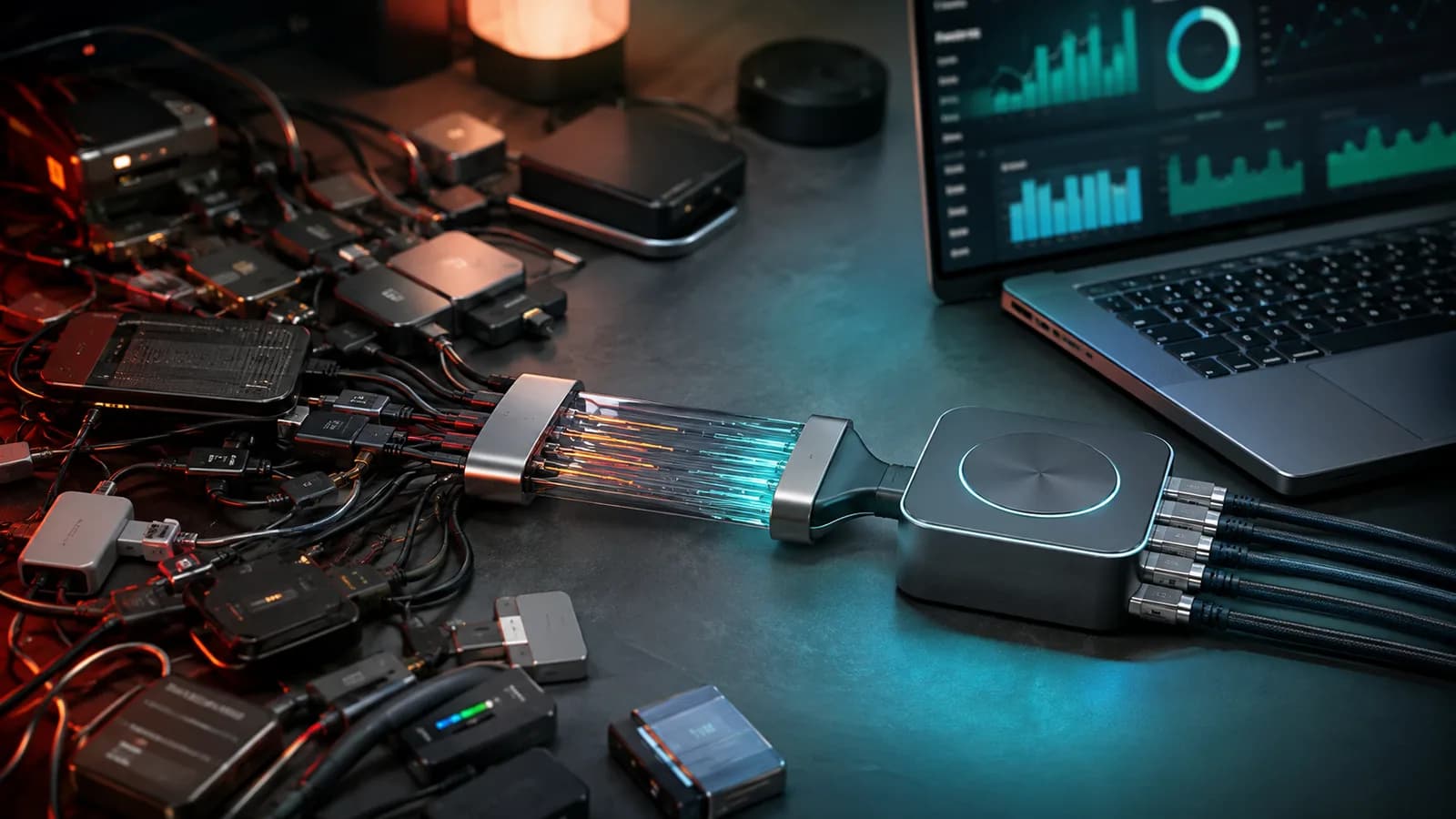
Each plugin meets a client's need: SEO, security, forms, performance. But each addition is another brick, often laid by a different mason. The structure becomes increasingly fragile. What is called a "tech stack" transforms, project after project, into a heterogeneous mosaic. An assembly of disparate licenses, interfaces, and development logics.
This fragmentation is not without consequences. It creates a silent technical debt, paid for in hours of maintenance, potential security vulnerabilities, and degraded performance. The initial promise of WordPress—flexibility—turns into a burden of complexity. This is the "plugin-for-everything" paradox. In trying to do everything, you end up mastering nothing.
This case study follows the journey of Julien, an experienced freelance WordPress developer. Faced with this problem on a major client project, he made the decision to migrate from a pile of 25 third-party plugins to a unified suite of 8 AIFORYA plugins. This document details his approach and, most importantly, the quantifiable results of this transformation.
The Challenge: The Reality of an Overloaded WordPress Stack
Julien's project was typical of a WordPress site that had evolved over several years. It was a robust platform, but weighed down by successive additions. The initial need for a showcase site had turned into a complex store, with advanced booking and marketing features.
The last straw was a minor update to the form plugin which, by conflicting with the cache plugin, brought down the entire payment process for several hours. This incident crystallized the need for a radical change.
The initial tech stack was symptomatic of this organic growth:
- Plugin Proliferation: 25 active plugins from 18 different vendors, each with its own logic and update cycle.
- Time-Consuming Maintenance: Every update was a risky ritual, requiring extensive pre-production testing to avoid conflicts and functional regressions.
- Declining Performance: Despite a reputable cache plugin, the site struggled to get above 45/100 on PageSpeed Insights for mobile, directly impacting SEO and user experience. The loading time was detrimental to visitor retention.
- Opaque Licensing Costs: Tracking 25 annual renewals, often on different dates and with varied pricing tiers, was an administrative headache, for a significant annual cost.
- Expanded Attack Surface: Each plugin added a potential entry point for vulnerabilities, increasing the burden of security monitoring and the risk of incidents.
Dashboard Before Migration
To quantify the starting point, Julien established a precise baseline.
| Metric | Before Migration |
|---|---|
| Number of Active Plugins | 25 |
| Total Annual License Cost | 1,850 EUR |
| Monthly Maintenance Time | ~12 hours |
| PageSpeed Insights Score (Mobile) | 45 / 100 |
| Vulnerability Surface | High |
| Administrative Complexity | Very High |
The diagnosis was clear. The stack was no longer sustainable. It was hindering the client's growth and consuming a disproportionate share of Julien's maintenance resources, limiting his ability to invest in higher-value tasks.
The Strategy: Consolidate to Conquer
Julien's approach was not to replace each plugin with a one-to-one functional equivalent. He rethought the site's functional architecture from a holistic perspective. The goal was to cover 95% of essential needs with a coherent suite, even if it meant abandoning marginal, rarely used features that added more complexity than value.
Criteria for a Strategic Choice
The choice fell on the AIFORYA suite after a comparative analysis based on four fundamental pillars:
- Unification: A single interface and native interactions between plugins for a smooth admin experience and productivity gains.
- Performance: Plugins designed to work together, without code redundancy, unnecessary script overhead, or excessive database queries, ensuring optimal execution speed.
- Sustainability: A single vendor responsible for the entire functional stack, guaranteeing a coherent product vision, coordinated updates, and simplified long-term maintenance.
- Centralized Support: A single point of contact for any technical or functional question, eliminating time-consuming back-and-forth between different support teams.
Migration Plan and Functional Mapping
The migration was planned in stages on a staging environment, an exact replica of the production site. A detailed mapping table was created to visualize the scope of the consolidation and ensure every need was covered.
| Functional Area | Old Plugins (Examples) | AIFORYA Replacement Plugin |
|---|---|---|
| SEO | Yoast SEO Premium, Redirection, Schema Pro, Rank Math | AIFORYA SEO Suite |
| Performance | WP Rocket, Imagify, Autoptimize, Asset CleanUp | AIFORYA Performance Engine |
| Security | Wordfence Security, Sucuri Scanner, Limit Login Attempts | AIFORYA Security Shield |
| Forms & Marketing | Contact Form 7, WPForms Pro, Mailchimp, HubSpot | AIFORYA Forms & Automation |
| Backups | UpdraftPlus Premium, BackupBuddy, Duplicator Pro | AIFORYA Guardian (Backup & Restore) |
| Analytics | MonsterInsights Pro, Google Site Kit, Matomo Analytics | AIFORYA Analytics |
| Maintenance & Staging | WP Maintenance Mode, Coming Soon Page, WP Staging | AIFORYA Maintenance & Staging |
| E-commerce | WooCommerce Payment Gateways, Advanced Shipping | AIFORYA E-commerce Integrator |
This process made it possible to replace 25 plugins with just 8. All essential functionalities were retained, and new AI-powered automation capabilities were added.
Technical Challenges of the Migration: A Systematic Approach
Consolidating such a complex stack is not without its hurdles. Julien approached the migration with a rigorous methodology, identifying and resolving several critical points:
- SEO Metadata Migration: The integrated import wizard in AIFORYA SEO Suite proved to be decisive. It allowed for the transfer of all titles, descriptions, meta-robots, and structured schemas previously defined by tools like Yoast SEO in just a few clicks. This automation was crucial to preserve the site's SEO history and avoid any drop in search engine rankings.
- Export and Re-import of Form Entries: The data accumulated in WPForms Pro, often critical for customer tracking and marketing campaigns, required special attention. It was meticulously exported to CSV files, then re-imported and mapped into AIFORYA Forms & Automation. This process ensured the integrity of all contact and lead data.
- Managing Shortcodes and Embedded Content: One of the major challenges was deactivating plugins that inserted complex shortcodes or content blocks via page builders. Each page and post was manually audited. For shortcodes, when AIFORYA did not offer a direct replacement through its block editor or its own shortcodes, a manual replacement procedure or the use of a custom conversion function was implemented to avoid displaying raw codes on the front-end.
- Database Optimization and Cleanup: Deactivating 17 plugins left orphan tables and options in the database. AIFORYA Performance Engine was used to identify and clean these remnants, helping to reduce the database size, optimize indexes, and improve SQL query response times.
The Results: The Quantified Impact of Unification
After two weeks of migration and rigorous testing on the staging environment, the site went live on its new AIFORYA stack. The results, measured one month later, exceeded expectations, confirming the relevance of the approach.
Dashboard After Migration
| Metric | Before Migration | After Migration | Change |
|---|---|---|---|
| Number of Active Plugins | 25 | 8 | -68% |
| Total Annual License Cost | 1,850 EUR | One-time payment, 1 / 5 / 25-site licence | No annual renewal |
| Monthly Maintenance Time | ~12 hours | ~2 hours | -83% |
| PageSpeed Insights Score (Mobile) | 45 / 100 | 88 / 100 | +43 points |
| Vulnerability Surface | High | Low | Significant |
| Administrative Complexity | Very High | Low | Significant |
Analysis of Benefits: More Than Just Numbers
The metrics are eloquent, but their true impact is measured in the value unlocked for the freelancer and his client, transforming the perception of the WordPress project.
- Business Model Transformation: Saving 10 hours a month and replacing 25 annual renewals with one-time purchases is not just a cost reduction. This time and budget are directly reinvested in higher-value strategic consulting missions for the client (marketing strategy, development of new business features) and in prospecting for Julien.
- Improved Client Relationship: The spectacular 43-point gain on PageSpeed translated into a visible improvement in SEO rankings, a notable decrease in bounce rate, and an increase in time spent on the site. Julien is no longer seen as a simple "maintainer," but as a strategic partner in his client's digital growth.
- Operational Peace of Mind: By reducing the number of third-party vendors from 18 to 1, the risk associated with poorly maintained, abandoned, or conflicting plugins has been almost eliminated. Updates are now a quick and secure formality, not a source of intense stress.
- Simplified Admin Experience: Training the client to manage the site has been considerably facilitated. A single, coherent interface has made the marketing team more autonomous in their daily operations (creating pages, managing forms, analyzing stats), drastically reducing support requests to Julien.
From Case Study to Your Own Strategy: A Concrete Roadmap
Julien's experience is a demonstration that consolidating a WordPress stack is a winning strategy, not only for technical performance but also for client relations and profitability. For web professionals, freelancers, and agencies who find themselves in this scenario, AIFORYA offers a pragmatic and actionable roadmap.
- Audit Your WordPress Ecosystem Without Compromise: Start with an exhaustive list of all active and inactive plugins. For each plugin, ask fundamental questions: "Is this feature essential to the site's mission? Are there functional overlaps with other plugins? What is the reputation and update frequency of its vendor?". This initial audit must be brutally honest and identify the "dead weight."
- Identify and Group Key Functional Hubs: Classify your plugins by application areas (SEO, performance, security, forms, e-commerce, etc.). This mapping reveals areas of high fragmentation and where consolidation will have the most significant impact. It's an opportunity to rethink the overall functional logic of your site rather than just "replacing" individual tools.
- Establish a Detailed and Incremental Migration Plan: Caution is key. Never operate directly on production. Plan the migration in stages on an isolated testing environment (
staging). Start with the least critical features, then progress to the core of the site. Each stage must include rigorous testing (functional, performance, compatibility) and, crucially, a quick rollback plan in case of unforeseen issues. - Communicate the Added Value to Your Client: A migration of this scale represents an initial investment. Position it not as an expense, but as an essential modernization strategy that will generate tangible returns on investment. Highlight the concrete gains: improved performance, enhanced security, reduced long-term maintenance costs, and a better user experience. Clear communication and forecast metrics build trust and buy-in.
- Prepare for Specific Technical Challenges: Anticipate the management of legacy data (SEO metadata, form entries, e-commerce orders, etc.), the conversion of proprietary shortcodes that sometimes litter the content, and the deep cleaning of the database. AIFORYA provides tools and guides to facilitate these transitions, but good preparation is the key to success to minimize risks and downtime.
- Train Your Team and Clients on the New Approach: Unifying interfaces through a coherent suite drastically simplifies day-to-day administration. Plan a training phase so that end-users (writers, marketers, store managers) can fully exploit the benefits of this new architecture, thereby increasing their autonomy and reducing support requests.
The AIFORYA Suite: At the Heart of the Transformation
AIFORYA plugins are not just a collection of tools. They are the interdependent components of a system designed for synergy. Each plugin is built to be powerful individually, and to multiply its performance when operating within the AIFORYA ecosystem. This design philosophy eliminates code redundancy, minimizes conflicts, and guarantees perfect compatibility and stability.
AIFORYA integrates advanced artificial intelligence features to increase the efficiency of professionals. For example, the AI in AIFORYA SEO Suite can deeply analyze the top 10 search engine results (SERP) for a target keyword. By leveraging sophisticated language models, it then generates a contextually optimized meta description and a series of Hn tags, all in under a minute. This integrated intelligence offloads users from repetitive and time-consuming tasks, allowing them to focus on strategy and creativity, without ever replacing human expertise. It's a direct and measurable time saving on daily operations.
Each AIFORYA premium plugin is sold on its own, for a one-time payment: no subscription, no automatic renewal, nothing to cancel. You choose between three licences — 1 site, 5 sites or 25 sites — and each purchase includes 12 months of updates. After those 12 months, the plugin keeps working, including its AI features with your own key; only the updates stop. The price of each licence is shown on the plugin's page.
In this case study, Julien bought each of the 8 plugins once, with a 1-site licence, instead of tracking 25 annual renewals. Each plugin comes with a 14-day money-back guarantee — a full refund, simply by writing to support@aiforya.fr — allowing you to concretely measure the impact of this transformation on your own projects.
The AIFORYA Commitment: Transparency and Longevity
AIFORYA operates on a "Bring Your Own Key" (BYOK) model. You connect your own API keys for AI services, which guarantees full transparency on costs and gives you absolute control. All data is processed in strict compliance with enhanced GDPR (European hosting, zero-tracking, and full data portability). AIFORYA also undertakes, should it permanently cease its activity, to publish the source code of its plugins under a free licence (MIT), so that you can keep using them — a commitment written into its Terms of Sale (Article 11).
Conclusion: Less, But Better
Julien's experience demonstrates that a strategic approach to plugins is a powerful lever for optimizing a WordPress project. Consolidation is not just a budget cut, but a way to regain technical control, operational performance, and, ultimately, profitability for the web professional and their client.
Here are the three main lessons to be learned from this case study:
- Audit your stack regularly: A useful plugin yesterday can become technical debt and a performance drag today. Evaluate the relevance and true cost (financial and time) of each plugin at least once a year.
- Favor integrated and coherent suites: An ecosystem of plugins designed to work in synergy will always provide more long-term value than a collection of disparate and potentially conflicting tools.
- Measure the impact of your decisions: Base your migration and optimization choices on concrete data. This is the best way to justify the investment of a migration to your clients and demonstrate the value of your expertise.
Migrating to a unified stack is not just a technical optimization. It is a strategic business decision that frees up time, reduces risks, and significantly improves results for all project stakeholders.
Ready to audit your own stack and transform your WordPress projects? Try the AIFORYA suite risk-free — full refund within 14 days — and measure the impact for yourself.
Recommended related article: How to Audit Your WordPress Plugins in 5 Steps
FAQ
1. Does the AIFORYA suite replace page builders like Elementor or Divi Builder? No, AIFORYA focuses on essential background and cross-functional features (SEO, performance, security, forms, e-commerce, maintenance). It is designed to work harmoniously with modern page builders and the native WordPress block editor (Gutenberg), without creating redundancy or conflict.
2. How does AIFORYA's "Bring Your Own Key" (BYOK) model work? The BYOK model means you create an account directly with language model providers (such as Anthropic, Google or others) and insert your unique API key into the AIFORYA interface. Calls to AI services are then billed directly by the provider you have chosen. AIFORYA applies no margin or surcharge on this AI consumption, ensuring full transparency.
3. Is migrating from existing SEO plugins complex or risky for rankings? AIFORYA SEO Suite includes robust import wizards designed to migrate SEO data (titles, meta descriptions, schemas) from popular SEO plugins like Yoast SEO or Rank Math in a few clicks. This feature aims to minimize risks to your existing rankings and ensure a smooth transition.
4. What if I need a very specific feature not covered by the AIFORYA suite? The AIFORYA suite is designed to cover over 95% of the common and advanced needs of WordPress projects. For the remaining 5%, its modular and standardized design allows you to add a very specific third-party plugin without creating major conflicts. The goal is to massively reduce fragmentation, not to create a closed system.
5. Which licence should I choose for a single site, as in this case study? Each AIFORYA premium plugin is bought on its own, for a one-time payment, with a 1-site, 5-site or 25-site licence. For a single site like Julien's, a 1-site licence per plugin is enough. Your purchase includes 12 months of updates; after that, the plugin keeps working, including its AI features with your own key — only the updates stop. And you have a 14-day money-back guarantee: a full refund, simply by writing to support@aiforya.fr.